Free App
Deep Hours
A free focus app for working hours: binaural beats, noise and a focus timer that play while you work, with a private log of your hours. Built on published research.
9 Oct 2026 · 5 min read · By Sophie Kazandjian
Deep Hours is the working-day version of Find Your Frequency, the binaural beats tool that goes with my piece on the 45 minutes before I open my laptop. Where that one builds a morning routine, this one runs underneath the work itself. You pick a session that matches what you are about to do, press Start, and carry on.
Free web app
Deep Hours
Runs in your browser and installs like an app on your phone or computer, after which it works offline.
Open Deep Hours →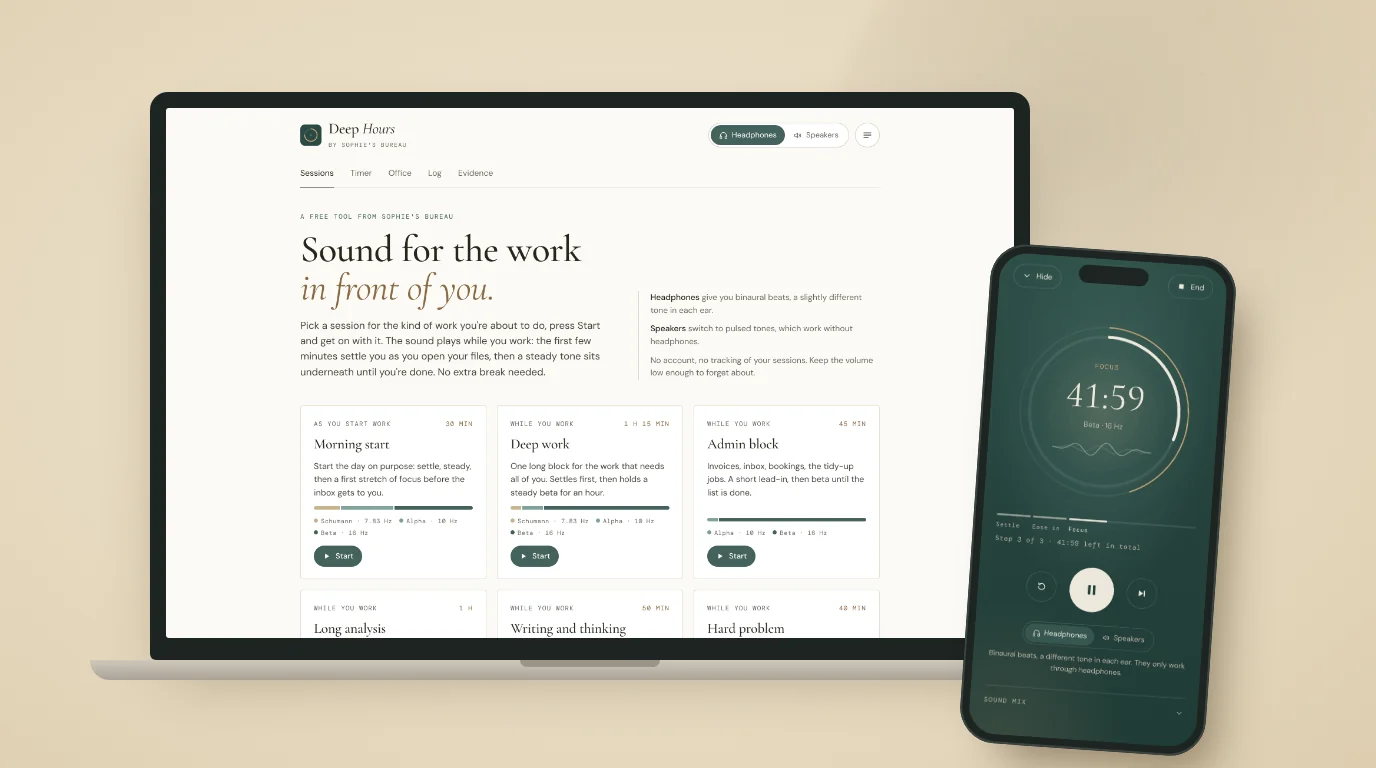
What it does
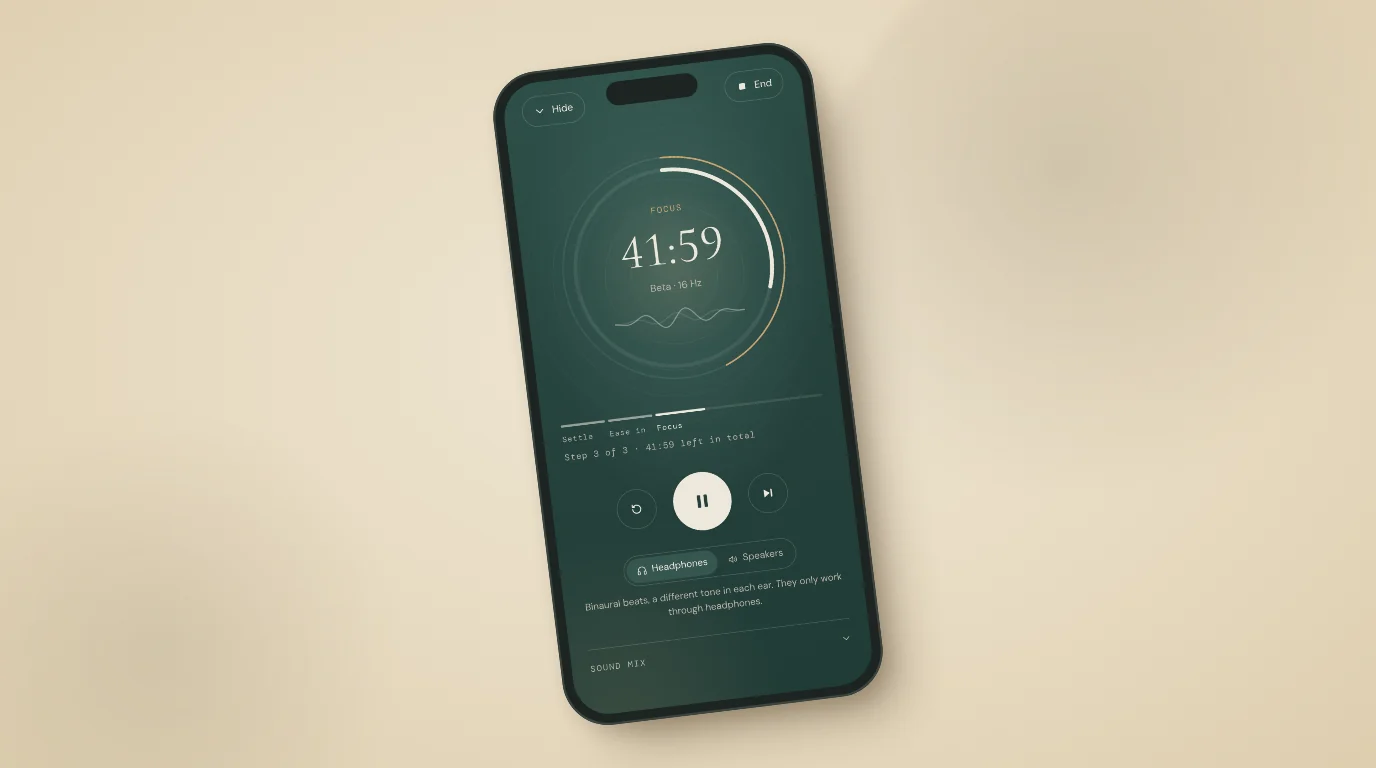
Most of the time Deep Hours plays a low tone over a soft bed of noise, quiet enough to forget about. With headphones on, the tone is a binaural beat, a slightly different pitch in each ear. On laptop or phone speakers it switches to gentle pulsed tones that work out loud. Each session moves through two or three stages: a few minutes of settling while you open your files, then a steady setting for the main stretch of work.
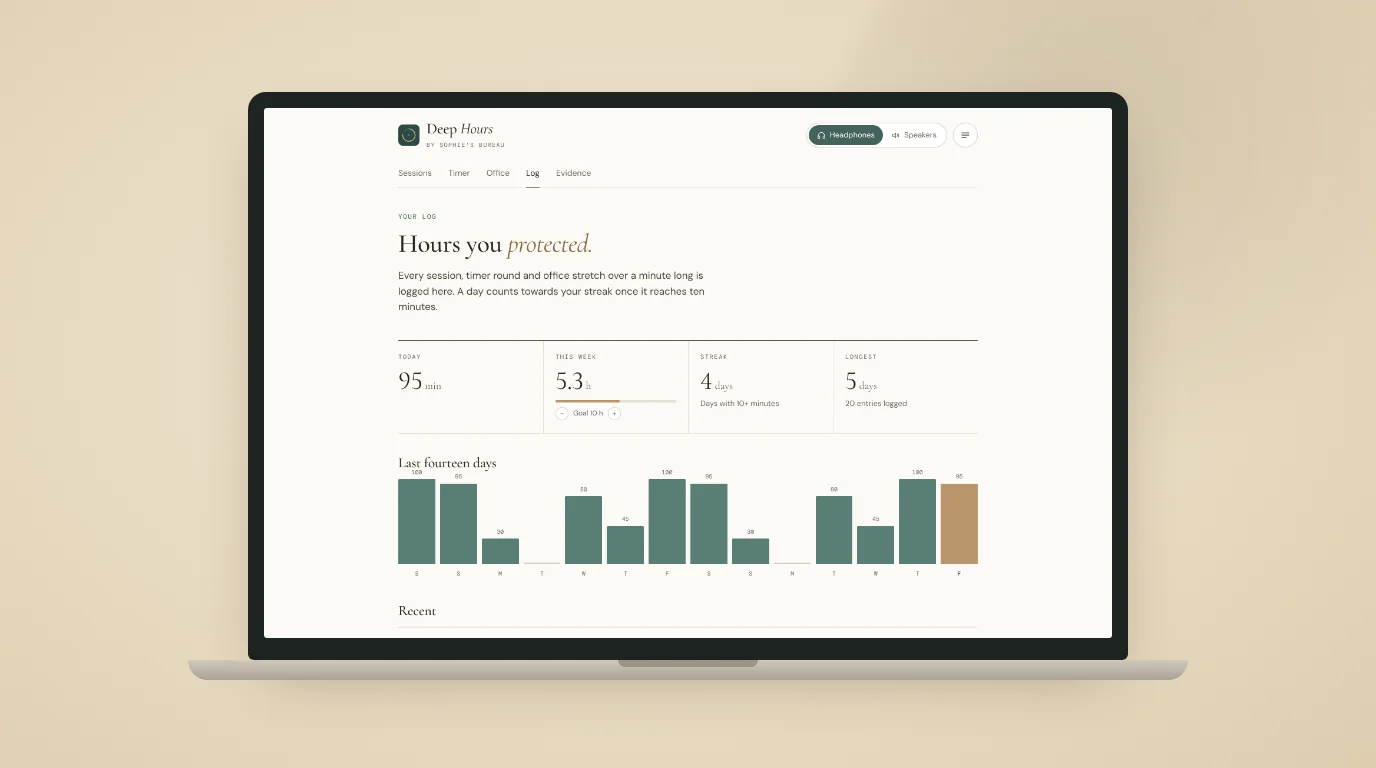
Beside the sessions sit a focus timer, which works in rounds with a soft chime at each change, and an office mode for shared rooms that plays noise and recorded rain, stream, forest, ocean or fire with no tones at all. A builder lets you chain your own routines. Anything you play for more than a minute goes into a private log, with a weekly goal and a streak.
Twelve sessions for the working day
| Session | When | What you hear | Length |
|---|---|---|---|
| Morning start | As you start work | Schumann 7.83 Hz, alpha, then beta 16 Hz | 30 min |
| Deep work | While you work | Schumann, alpha, then an hour of beta 16 Hz | 75 min |
| Admin block | While you work | Alpha, then beta 16 Hz | 45 min |
| Long analysis | While you work | Alpha, then high beta 25 Hz | 60 min |
| Writing and thinking | While you work | Schumann, then alpha 10 Hz | 50 min |
| Hard problem | While you work | Alpha, then gamma 40 Hz | 40 min |
| Before a meeting | Before a call | Schumann, then alpha | 10 min |
| Grounding break | Between tasks | Schumann, then alpha | 12 min |
| Quick reset | Between tasks | Alpha, then SMR 14 Hz | 7 min |
| Meditation | On a break | Schumann, alpha, theta 6 Hz, then alpha | 15 min |
| Afternoon dip | While you work | Alpha, then beta 20 Hz | 20 min |
| End-of-day shutdown | End of day | Alpha, then theta 6 Hz, with a checklist | 15 min |
The builder opens up the rest of the library for anyone who already knows what suits them: delta, theta, upper alpha, SMR, the faster beta bands and the nine Solfeggio tones, up to eight steps at a time.
The research behind it
A 2019 meta-analysis of 22 studies found a medium, consistent effect of binaural beats on cognition and anxiety. Listening before a task as well as during it gave the best results, which is why the sessions open with a settling stretch. Longer exposure helped too, so they run for real working lengths.
The beta settings come from a 1998 study in which people listening to 16 and 24 Hz beats in pink noise caught more targets on a 30-minute vigilance task, made fewer false alarms and reported better mood than with slower beats. Plain noise has its own evidence: a 2024 meta-analysis of 13 studies found white and pink noise improved task performance for people with attention difficulties. And across 22 studies, breaks of ten minutes or less raised energy and reduced fatigue, so the timer builds them in.
The Evidence page inside the app takes each setting in turn, with full references, including the open question of how the beats have their effect.
Private by design
There is no account and nothing to sign up for. Your log and settings are stored in your own browser and never sent anywhere. The fonts are hosted on my own domain rather than loaded from Google, and once the app is installed it works without a connection. If you want to keep your log somewhere else, it downloads as a spreadsheet.
Common questions
- Do I need headphones?
- Not for everything. Binaural beats only work through headphones, because each ear needs its own tone. Switch to Speakers and the same sessions play as pulsed tones instead. Office mode never uses tones at all.
- Is it free?
- Yes. There is no account, no trial and nothing to pay.
- How do I install it?
- On an iPhone or iPad, open it in Safari, tap Share, then Add to Home Screen. On Android, and in Chrome, Edge or Brave on a computer, use the install option in the browser menu or in the app's own menu. It then opens in its own window and works offline.
- Can I use it while I work?
- That is what it is for. Most sessions are designed to play underneath your work from the moment you sit down, so there is no extra break to find. Before a meeting, Grounding break, Quick reset and End-of-day shutdown suit the gaps in the day, and Meditation fits a lunch break.
- Is it suitable for everyone?
- Keep the volume low and don't listen while driving or operating machinery. If you have epilepsy, a seizure disorder, a pacemaker or a hearing condition, check with your doctor first. Deep Hours is a focus aid, not a medical treatment.
Ready when you are
Open Deep Hours
Choose headphones or speakers, pick a session and press Start.
Open Deep Hours →